
Introduction
Picture this: you’re at the beach, snapping photos of the sunset, when a wave crashes unexpectedly and soaks your brand-new iPhone 16. Your heart stops. Will it survive?
If you’ve been asking yourself “is iPhone 16 waterproof,” you’re not alone. With smartphones costing over a thousand dollars, understanding their water resistance capabilities isn’t just useful information. It’s essential knowledge that could save you from an expensive repair bill or total device replacement.
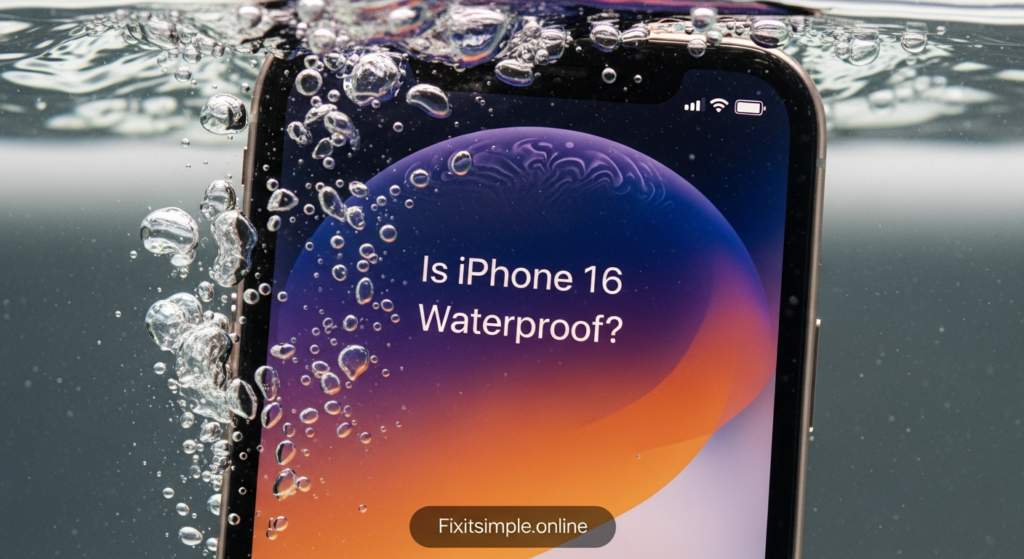
The short answer? The iPhone 16 isn’t technically waterproof, but it is water resistant. There’s a crucial difference between these two terms, and understanding it could be the difference between a functioning phone and a expensive paperweight. In this article, we’ll break down everything you need to know about the iPhone 16’s water resistance, including its official IP rating, real-world performance, warranty limitations, and practical tips to keep your device safe around water.
Understanding Water Resistance vs. Waterproof
Before we dive into the specifics of the iPhone 16, let’s clear up a common misconception. The terms “waterproof” and “water resistant” are often used interchangeably, but they mean very different things.
Waterproof suggests complete protection against water under any circumstances. Think of a submarine or a diving watch rated for extreme depths. These devices are designed to function normally even when fully submerged for extended periods.
Water resistant, on the other hand, means the device can withstand water exposure to a certain degree under specific conditions. There are limits to the depth, duration, and type of water exposure the device can handle. The iPhone 16 falls into this category.
This distinction matters because it sets realistic expectations. Your iPhone 16 can survive accidental splashes, brief submersion, and rain exposure. However, it’s not designed for underwater photography sessions or prolonged swimming pool adventures.
iPhone 16 IP Rating Explained
The iPhone 16 carries an IP68 rating under the IEC standard 60529. If that sounds like technical jargon, don’t worry. Let me break it down for you.
The “IP” stands for Ingress Protection. It’s an international standard that measures how well a device resists solid particles and liquids. The two numbers following “IP” tell you exactly what the device can handle.
The first digit (6) represents solid particle protection. A rating of 6 means your iPhone 16 is completely dust tight. No dust particles can enter the device, which is the highest level of protection available. This is great news if you work in dusty environments or frequently visit sandy beaches.
The second digit (8) indicates liquid protection. According to Apple’s specifications, the iPhone 16 can withstand submersion in water up to 6 meters (about 19.7 feet) deep for up to 30 minutes. This rating applies to all iPhone 16 models, including the iPhone 16, iPhone 16 Plus, iPhone 16 Pro, and iPhone 16 Pro Max.
However, there’s an important caveat. This rating applies specifically to fresh water under laboratory conditions. Real-world scenarios often differ significantly from controlled testing environments.
What Does IP68 Mean in Real-World Use?
Laboratory tests use clean, fresh water at room temperature. Your everyday water exposure scenarios are usually messier and more unpredictable.
Let’s consider some common situations. If you drop your iPhone 16 in a swimming pool, it should survive just fine. The same goes for accidental toilet drops (though you’ll definitely want to clean it thoroughly afterward). Rain exposure poses minimal risk, and you can confidently use your phone in the shower for playing music or checking messages.
But here’s where things get tricky. The IP68 rating doesn’t account for several real-world factors that can compromise water resistance.
Saltwater is significantly more corrosive than fresh water. Taking your iPhone 16 for an ocean swim isn’t recommended, even though it technically meets the depth requirements. The salt content can damage seals and corrode internal components over time.
Hot water presents another challenge. High temperatures can damage the adhesive seals that keep water out. This means your steamy bathroom shower or hot tub isn’t the ideal environment for your device, despite what the rating suggests.
Chlorinated pool water also falls outside the testing parameters. While brief exposure probably won’t cause immediate damage, regular pool use can gradually degrade the water-resistant seals.
Water pressure increases with movement. If you’re swimming or if water is flowing forcefully (like under a tap), the pressure may exceed what the seals can handle, even at shallow depths.
How Apple Achieves Water Resistance
You might be wondering how Apple makes the iPhone 16 water resistant without making it completely sealed. After all, the device still has ports, speakers, and buttons that need to function normally.
Apple uses several sophisticated techniques to achieve this balance. Precision-engineered seals and gaskets surround every potential entry point. These rubber-like materials create tight barriers around the display, camera lenses, buttons, and other openings.
The speaker and microphone grilles use special mesh materials. These allow sound to pass through while blocking water droplets. It’s an impressive feat of engineering that maintains audio quality while providing protection.
Even the SIM card tray has a rubber gasket that compresses when inserted, creating a water-tight seal. The charging port, while open, is designed with water-resistant materials and coatings that help repel moisture.
Apple also applies special coatings to internal components. These nano-coatings provide an additional layer of protection if water does somehow breach the outer defenses. Think of it as insurance for your phone’s most critical parts.
Water Resistance Degrades Over Time
Here’s something Apple doesn’t advertise prominently: water resistance isn’t permanent. The protective seals and gaskets that keep water out gradually wear down through normal use.
Every time you press a button, plug in a charging cable, or experience temperature changes, those seals undergo stress. Drops and impacts, even minor ones, can compromise the seal integrity. The adhesive holding the display and back glass in place can also weaken over time.
Apple explicitly states that water resistance decreases with normal wear. This means a brand-new iPhone 16 offers better protection than one you’ve been using for a year or two. There’s no specific timeline for when protection significantly decreases, as it depends on how you use and care for your device.
If you’ve had your iPhone 16 screen replaced or the back glass repaired, be especially cautious. Unless the repair was done by Apple or an authorized service provider using genuine parts, the water resistance may be compromised. Third-party repairs often can’t match Apple’s precision sealing techniques.
Apple’s Warranty Doesn’t Cover Water Damage
This is perhaps the most important thing to understand about iPhone 16 water resistance. Despite the impressive IP68 rating, Apple’s standard warranty explicitly excludes water damage.
Let me repeat that for emphasis: water damage voids your warranty. Even though Apple markets the water resistance feature, they won’t repair or replace your device for free if it suffers water damage. This seems contradictory, but Apple’s position is that the IP68 rating describes what the phone can theoretically withstand under ideal conditions, not a guarantee of protection.
If your iPhone 16 does suffer water damage, you’re looking at a substantial out-of-pocket expense. Screen replacement costs several hundred dollars. Full device replacement can run into the thousands, depending on your model and storage capacity.
AppleCare Plus offers some protection here. This extended warranty program covers up to two incidents of accidental damage every 12 months, including water damage, though you’ll still pay a service fee for each incident. For many users, especially those frequently around water, AppleCare Plus is worth the investment.
When you bring a water-damaged iPhone to Apple, technicians can tell immediately. iPhones contain Liquid Contact Indicators (LCIs) that change color when exposed to water. These small stickers are located in various internal spots and serve as evidence of water exposure.
Tips to Protect Your iPhone 16 Around Water
Even with IP68 protection, prevention is your best strategy. Here are practical steps you can take to minimize water damage risks.
Use a waterproof case if you’re planning extended water exposure. Brands like Lifeproof and Catalyst make cases specifically designed for underwater use. These cases add bulk but provide peace of mind for swimmers, kayakers, and beach enthusiasts.
Keep your iPhone 16 away from running water. Don’t use it in the shower or hold it under a faucet to rinse it off. The force of flowing water creates pressure that can overcome the seals.
Dry your phone immediately if it gets wet. Use a soft, lint-free cloth to wipe all surfaces. Pay special attention to ports, speakers, and buttons where water might pool.
Avoid charging a wet iPhone. If your charging port has any moisture, wait until it’s completely dry before plugging in a cable. Charging while wet can cause short circuits and corrosion. Your iPhone will actually warn you if it detects liquid in the charging port.
Don’t deliberately test the limits. Just because your iPhone 16 can theoretically survive 30 minutes underwater doesn’t mean you should try it. Save the water resistance for genuine accidents, not experiments.
Be extra cautious in saltwater environments. If your phone does get exposed to ocean water, gently rinse it with fresh water afterward and dry it thoroughly. This helps prevent salt crystal buildup that can damage seals.
Consider where you place your phone. Keep it away from pool edges, bathtub sides, and other precarious positions where it might fall into water. A waterproof pouch or bag provides extra security at the beach or pool.
What to Do If Your iPhone 16 Gets Wet
Despite your best efforts, accidents happen. If your iPhone 16 takes an unexpected swim, here’s what you should do immediately.
Remove it from water as quickly as possible. Every second counts when it comes to water damage prevention. Don’t worry about turning it off first, just get it out of the water.
Don’t panic and make things worse. Avoid shaking the phone vigorously or blowing into ports. These actions can push water deeper into the device. Don’t use compressed air either, as it creates similar problems.
Position the phone so water can drain out naturally. Hold it with the charging port facing down to let gravity do the work. Gently tap it against your hand to encourage water to exit from openings.
Dry the exterior thoroughly with a soft cloth. Remove any case or screen protector that might trap moisture against the device. Pay attention to all the crevices, buttons, and ports.
Place the phone in a dry, well-ventilated area. Some people swear by rice, but Apple doesn’t recommend this method. Rice can leave dust and particles that cause more problems. Instead, position the phone near (not directly against) a fan or in a room with good air circulation.
Wait at least five hours before trying to charge it. The charging port needs to be completely dry to avoid electrical issues. If you see a liquid detection warning when attempting to charge, wait longer.
Test the phone carefully once it’s dry. Check all functions including speakers, microphone, cameras, and touch responsiveness. If anything isn’t working properly, contact Apple support or visit an Apple Store.
Alternative Water Protection Options
If you need more protection than IP68 provides, several options can enhance your iPhone 16’s water resistance.
Waterproof cases offer the most comprehensive protection. These cases fully encase your phone and can handle much deeper submersion for longer periods. They’re ideal if you’re into water sports, professional underwater photography, or work in extremely wet conditions. The downside is added bulk and reduced everyday usability.
Waterproof pouches provide a middle-ground solution. These clear plastic bags seal your phone away from water while still allowing touchscreen use. They’re affordable, lightweight, and perfect for occasional beach trips or boat outings. However, they can be awkward for extended use and may affect photo quality.
Hydrophobic screen protectors add an extra layer of defense. While they don’t prevent submersion damage, they help water bead up and roll off your screen, reducing the chance of droplets entering through gaps around the display.
Waterproof phone insurance is another consideration. Some insurance providers offer specific coverage for water damage, filling the gap left by Apple’s warranty. Compare costs against AppleCare Plus to determine the best option for your needs.
Comparing iPhone 16 to Previous Models
If you’re upgrading from an older iPhone, you might wonder how the iPhone 16’s water resistance stacks up. The improvement story is encouraging but not dramatic.
The iPhone 16 maintains the same IP68 rating as the iPhone 13, 14, and 15 models. All can handle 6 meters depth for 30 minutes. This represents a significant improvement over the iPhone 11 and earlier models, which had lower ratings.
The iPhone 7 was Apple’s first water-resistant model with IP67 rating (1 meter for 30 minutes). Each generation since has either maintained or improved upon this standard. The jump from IP67 to IP68 between iPhone 11 and iPhone 12 was the most significant upgrade in recent years.
While the rating numbers haven’t changed recently, Apple continues refining the sealing techniques and internal coatings. This means newer models may perform slightly better in real-world scenarios, even with identical official ratings. However, these improvements are marginal, not revolutionary.
Understanding the Science Behind Water Damage
To truly appreciate your iPhone 16’s water resistance, it helps to understand how water damages electronics. This knowledge can inform better protection strategies.
Water itself isn’t necessarily harmful to electronics. Pure, distilled water is actually a poor conductor of electricity. The problem arises from minerals, salts, and other contaminants dissolved in water. These create conductive pathways that cause short circuits when the device is powered on.
Corrosion is the long-term enemy. Even if your phone survives initial water exposure, minerals left behind after water evaporates can cause corrosion. This corrosion gradually damages circuits, solder joints, and components. It’s why water-damaged phones sometimes work initially but fail days or weeks later.
Pressure is another factor. Water molecules can be forced into microscopic gaps that wouldn’t be penetrated by water at atmospheric pressure. This is why deeper submersion carries higher risk, and why water sports create more pressure than still water.
Future of Smartphone Water Protection
Looking ahead, what can we expect from future iPhone water resistance? While I can’t predict Apple’s exact plans, industry trends suggest several possibilities.
Completely portless designs could eliminate major water entry points. Apple has already removed the headphone jack and is reportedly testing iPhones without any physical ports. Wireless charging and data transfer would enable fully sealed devices with superior water protection.
Advanced materials may improve seal longevity. Research into self-healing polymers and more durable gaskets could extend the lifespan of water resistance features. This would address the current problem of degrading protection over time.
Higher IP ratings are possible but may not be necessary for most users. IP69 ratings exist for industrial equipment but require expensive engineering that might not justify the cost for consumer devices. Most phone water damage occurs in scenarios well within IP68 capabilities anyway.
Frequently Asked Questions
Can I take underwater photos with my iPhone 16?
Technically yes, but it’s not recommended. While the IP68 rating allows for brief submersion, deliberately using your phone underwater increases risk. The touch screen also doesn’t work reliably underwater, making it difficult to control. If you need underwater photos, use a waterproof case designed for that purpose.
Will my iPhone 16 survive if I drop it in the toilet?
Most likely yes, assuming you retrieve it quickly. Toilet water falls within the IP68 parameters for depth and duration. However, remove it immediately, dry it thoroughly, and avoid charging it until completely dry. The psychological factor aside, it should function normally after proper drying.
Does the iPhone 16 camera have better water resistance?
The camera modules are protected by the same sealing system as the rest of the phone. The raised camera bump has seals around its perimeter, and each lens has a protective seal. However, the cameras aren’t independently tested for water resistance, so treat them with the same caution as the rest of the device.
Can I use my iPhone 16 in the rain?
Absolutely. Rain exposure is well within the IP68 rating’s capabilities. Your iPhone 16 can handle rain without any issues. However, try to keep it somewhat protected in heavy downpours, and wipe it dry when you get indoors. Avoid using the charging port until it’s completely dry.
How long does iPhone 16 water resistance last?
There’s no official timeline, but water resistance degrades gradually through normal use. Expect optimal protection for the first year, with decreasing effectiveness afterward. Factors like drops, repairs, and heavy use accelerate the degradation. By year three, the protection is likely significantly reduced.
Will Apple repair my water-damaged iPhone 16 for free?
No. Water damage is explicitly excluded from Apple’s standard warranty, despite the IP68 rating. You’ll need AppleCare Plus coverage for any help with repair costs, and even then you’ll pay a service fee. Without AppleCare Plus, you’re looking at full out-of-pocket costs for repairs or replacement.
Is iPhone 16 water resistance better than Samsung Galaxy phones?
Most flagship Samsung Galaxy phones also carry IP68 ratings with similar depth and duration specifications. Real-world performance is comparable between quality flagships. The actual water resistance comes down to manufacturing precision and seal quality rather than the rating itself, making them roughly equivalent.
Can I swim with my iPhone 16?
It’s not recommended. While the phone could theoretically survive brief swimming pool exposure, chlorinated water isn’t part of the IP68 testing standards. Movement while swimming creates additional pressure, and repeated exposure will degrade the seals faster. Use a waterproof case if you want to take your phone swimming regularly.
What should I do if my iPhone 16 won’t charge after getting wet?
This is normal and actually a protective feature. Your iPhone detects moisture in the charging port and prevents charging to avoid short circuits. Wait several hours for the port to dry completely. Don’t try to dry it with external heat sources. If the warning persists after 24 hours, contact Apple support.
Does putting iPhone 16 in rice actually work if it gets wet?
Apple doesn’t recommend the rice method. While rice can absorb some moisture, it’s not particularly effective and can leave dust particles in your phone’s ports. Better options include placing the phone in a well-ventilated area with a fan nearby, or using actual desiccant packets designed for moisture absorption.
Conclusion
So, is iPhone 16 waterproof? Now you know the complete answer. It’s water resistant with an impressive IP68 rating, capable of surviving accidental water exposure in many real-world situations. However, it’s not invincible, and Apple won’t cover water damage under standard warranty.
The key takeaway is this: treat the water resistance as a valuable safety feature, not an invitation to test your phone’s limits. Use it confidently in rain, don’t panic if you drop it in water, but also take reasonable precautions to protect your investment.
Your iPhone 16 can handle life’s little water accidents, but it’s still a sophisticated electronic device that deserves care and protection. Consider getting AppleCare Plus if you’re frequently around water, invest in a waterproof case for water sports, and always err on the side of caution.
What’s been your experience with iPhone water resistance? Have you had any close calls or success stories? Understanding how to properly protect our devices helps everyone make smarter decisions about their expensive technology investments.
Also read Fixitsimple.online